
“Resident had a good day.”
Sounds positive. But what does that actually tell the caregiver working the next shift?
Did the resident need extra assistance? Was anything different from their usual routine?
Good progress notes help care teams understand what happened, recognize changes, and know when follow-up is needed.
The goal isn’t to write more. It’s to document what matters.
What Should Be Included in a Progress Note?
Progress notes, sometimes called daily care notes or narrative notes, record important observations and details about a resident’s care.
Daily task records show what care was completed. Progress notes add context about changes, resident responses, and needed follow-up.
A useful progress note should help the next caregiver understand:
- When it happened: The date and time, with the author’s name and title or signature as required.
- What you noticed: Direct observations or statements, including who reported the information.
- What you did: Care or assistance actually provided.
- How the resident responded: Their reactions, statements, or preferences.
- What happened next: Who was notified, when, any instructions received, and necessary follow-up.
Include what’s relevant to the situation and follow your facility’s documentation requirements.
4 Tips for Writing Better Progress Notes
1. Describe what happened, not what you assume. Avoid opinions like “Resident was difficult.” Document what you saw or heard, and identify who provided information you didn’t observe directly.
2. Give details that matter. “Resident felt sick” leaves questions. “Resident reported feeling nauseated before breakfast” provides useful context. Include specific times, amounts, or assistance when relevant.
3. Pay attention to what’s different. Caregivers know residents’ routines. When something changes, record what you observed, actions taken, who was notified, and any needed follow-up.
4. Don’t wait until you’ve forgotten the details. Document promptly and clearly. Review copied or AI-assisted notes for accuracy before saving.
Progress notes don’t replace incident reports, required notifications, or care plan updates. Always follow your facility’s procedures for reporting and documenting concerns.
Progress Notes Examples in Assisted Living
Sometimes a few extra details can make all the difference.
Here are two fictional examples of how to make daily care notes more useful.
Example 1: A Change in Daily Activities
Less helpful: “Helped resident get dressed.”
Better: “8:20 a.m. Resident, who normally dresses independently, stated their hands felt stiff and requested help buttoning their shirt. Assisted as requested and notified the supervisor of the change.”
Why it’s better: It explains what changed, what the resident reported, the assistance provided, and the follow-up.
Example 2: A Resident Declines Care
Less helpful: “Resident refused shower.”
Better: “10:00 a.m. Resident declined their scheduled shower and requested to wash at the sink instead. Assisted resident with washing at the sink. Personal care completed.”
Why it’s better: It respects the resident’s choice and confirms the alternative care was completed.
Note: These examples are for educational purposes only. Documentation requirements may vary by state and care setting. Always follow your facility’s policies and the resident’s care plan.
How Synkwise Makes Progress Notes Easier
For owners and administrators, better progress notes start with good training and tools that support clear, consistent documentation.
With Synkwise, caregivers can use voice charting to capture observations without typing everything out. Notes AI can also translate notes, improve clarity and readability, or organize information into SOAP format when appropriate.
Caregivers can review AI-suggested changes before applying them, checking that the information is accurate and reflects what actually happened.
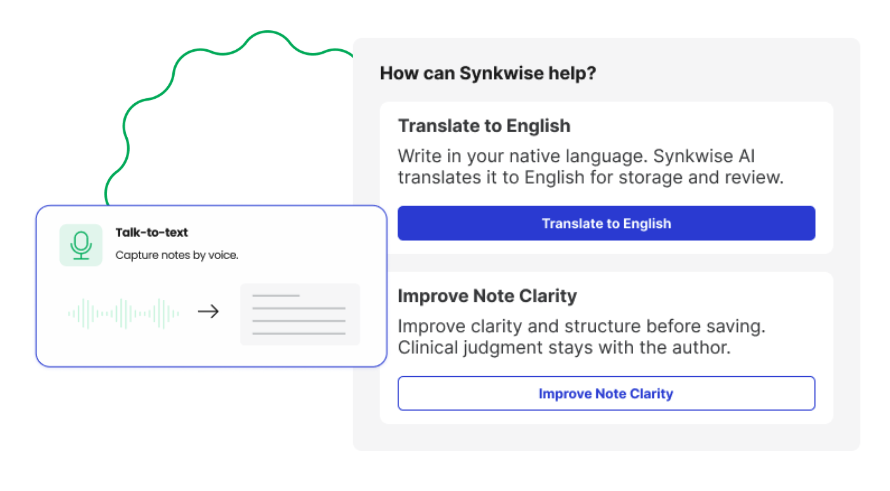
By keeping progress notes connected to resident records and care plans, Synkwise helps staff stay informed across shifts, supporting better communication and continuity of care.
Good documentation starts with the people providing care. The right tools should make their work easier, not more complicated.
See how Synkwise simplifies progress notes and resident documentation.